
An Inside Look at Canva Create 2026
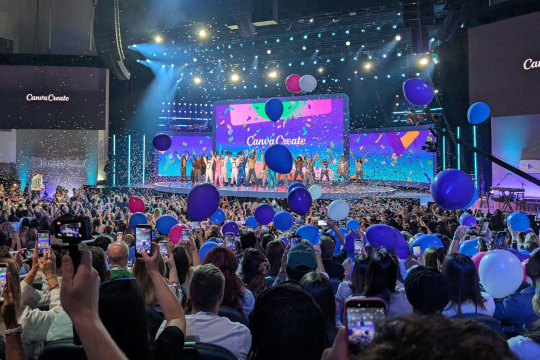
Last week, I had the opportunity to attend Canva Create in Los Angeles for the first time. I've watched the keynote virtually every year, but there's a depth to this event you can only experience in person, and spending the full day immersed in it did not disappoint.
A bit of context for why I care so much about Canva: at Gifted Travel Network, we use it across the team daily. It allows our marketing team to create virtually any asset we need, whether it’s digital, print, video, or beyond. For those less creatively inclined, we've built out templates and a brand kit so anyone can quickly pull a graphic or access our headshot library without needing a design background. We also host hundreds of travel advisors at GTN, many of whom are solopreneurs, and Canva has become a go-to tool for their own marketing. Helping them feel more confident with it is something I genuinely love doing.
Now, back to the event.
Canva Create sets the tone as soon as you arrive at the So-Fi stadium. Walking in, you're met with the "Create Playground" — a giant interactive space where each of their Visual Suite tools is represented through experiences like a slide, a merry-go-round, and swings. Beyond the main stage at the YouTube Theatre, there were several additional stages hosting panel discussions, live workshops, and head-to-head design challenges. A standout for me was a Reels workshop led by someone from Meta, packed with practical guidance on creating content built to perform on their platforms.
Another highlight was hearing from director Jon M. Chu, who spoke about storytelling and emotion-first filmmaking. He shared how when working on Wicked, he didn't tell his costumers or set designers what to create. Instead, he gave them a feeling: Elphaba is "yearning," or this scene should evoke "deception." From there, the visuals and sound did the work before a character could even speak (or in this case, sing) a word.
When asked what he'd say to creatives who feel limited by budget or circumstance, his answer was simple: "Dream bigger. Industries are so locked in on precedent, but you can always set a new precedent."
On to the new releases. If you don't see these in your account yet, they're rolling out over the coming weeks following an initial release to the first million users who unlocked the update at the keynote.
Several smaller updates, or "wishes," as Canva calls them, address common user requests and streamline everyday workflows. Some of my favorites are:
Print directly to your home printer without downloading first
Create reusable "components" from groups of elements that update everywhere they're used when edited once
Design offline, with changes saved and synced when you reconnect
New video tools and "blocks" to simplify Reels and other video creation
Canva also unveiled an upgraded Print Shop, now offering a broader range of products beyond printed materials that include shirts, hats, and more.
The centerpiece of the keynote was Canva AI 2.0, which includes Agentic Orchestration, Brand Intelligence, Canva Code 2.0, Connectors, Conversational Design, Layered Object Intelligence, a Memory Library, Scheduling, and Web Research. The web research tool puts them in direct competition with platforms like Perplexity, signaling that Canva wants to be a true one-stop shop for businesses.
The features I'm most excited about are Brand Intelligence and the Memory Library, which function similarly to the Projects feature on other AI tools. You can store brand voice, preferences, and rules, and create dedicated digital books for specific campaigns or events.
Canva's big message was crystal clear: they're here to "empower the whole world to design." And personally, I think they nailed it.
FAQs
What is Canva Create?
Canva Create is Canva’s annual flagship event where the company announces new features, shares product updates, and hosts workshops, panels, and creative sessions for users and professionals.
What was announced at Canva Create 2026?
Key announcements included Canva AI 2.0, new workflow improvements called “wishes,” expanded video tools, offline design capabilities, an upgraded Print Shop, and new features like Brand Intelligence and the Memory Library.
How do travel agents use Canva in their business?
Travel advisors use Canva to create marketing materials such as social media graphics, client itineraries, email newsletters, and promotional flyers. It allows them to maintain a polished, professional brand without needing advanced design skills.
Do you need design experience to use Canva?
No. Canva is designed for non-designers, with drag-and-drop functionality, pre-built templates, and brand kits that make it easy to create professional content.
